Run a simulation
Python quickstart
From API key to saved throughput results.
Getting started
Radio network simulation tools for applications and AI agents. Start with a working example, then explore the guides and reference.
Python quickstart
From API key to saved throughput results.
MCP guide
Expose simulation tools to your client.
GiuliaAPI is designed for AI agents that need to inspect, modify, run, and evaluate radio network simulations. It provides a human-readable REST interface, machine-readable tool schemas, and an MCP endpoint for clients that support tool calling through the Model Context Protocol.
sim_id.
GiuliaAPI is built on top of the open-source OpenGiuliaSLS project. OpenGiuliaSLS provides the underlying radio network simulation engine; GiuliaAPI adds an agent-friendly service layer around it, including HTTP endpoints, MCP tool schemas, workspace lifecycle management, quotas, and usage instrumentation.
This separation is intentional: OpenGiuliaSLS remains the simulation core, while GiuliaAPI focuses on making that core usable by external agents, applications, scripts, and notebooks.
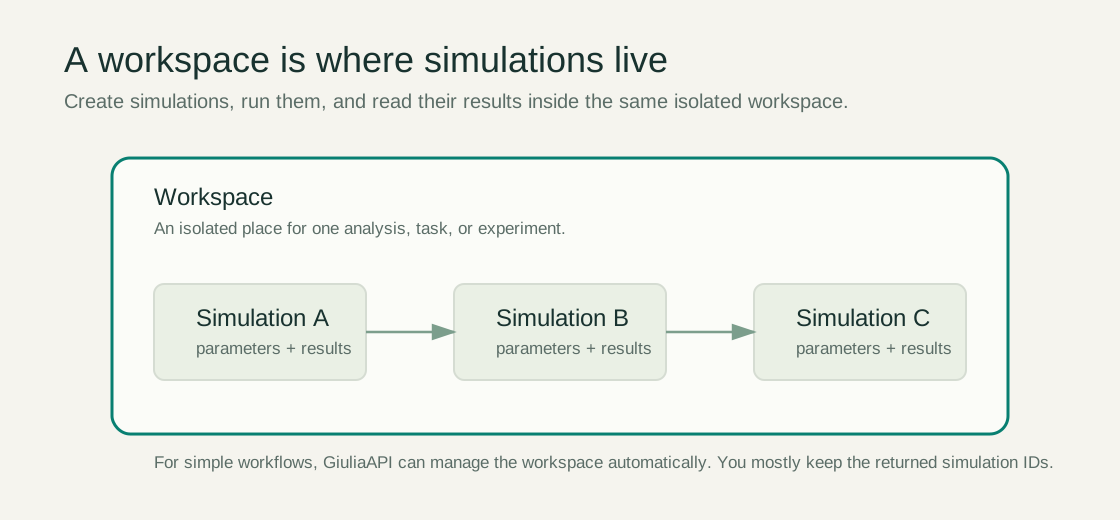
An isolated container for one task, workflow, or analysis. A workspace owns simulations, counters, quotas, and transient state.
A configured radio scenario. Simulations can be created, cloned, modified, executed, queried, and deleted inside a workspace.
One realization of the simulated environment, such as user placement or traffic state. Many KPIs aggregate over episodes.
A time or execution unit inside a run. Quotas often use episodes multiplied by steps as the resource unit.
Engineering or UE values that agents can inspect and modify before running a simulation.
KPI outputs from completed simulations, available as raw or aggregated data depending on the endpoint.